
Clickfree Mobile Backup Pro1.0 - Google Play
You'll be able to see results in few seconds.
Publisher Description
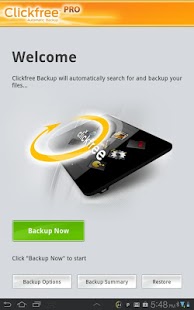
Clickfree Mobile Backup Pro is fully featured and automatically backs up all your valuable content locally, to SD card or your Cloud Storage account. Clickfree supports ElephantDrive (limited time 5G free cloud storage for life), Dropbox, Box, SkyDrive, Google Drive & SugarSync.
IMPORTANT: You must download the Free version of Clickfree Mobile Backup before you download this upgrade.
PRO FEATURES:
- Scheduled backup: Schedule backups weekly, daily or hourly
- Ad Removal: All ads are removed
- Backup of Application Data and System Settings: Back up saved games and other application information, including saved system settings such as Wi-Fi. (ROOTED DEVICES ONLY)
Photos, music, videos, documents, applications, contacts and more are conveniently summarized in the built-in category viewer. Easily transfer your backed up multimedia content to an existing or new device. With Clickfree, peace of mind has never been so easy.
Requires Clickfree Mobile Backup free version. Purchasing and installing the Pro version unlocks Pro premium features. If you have already been using the free version, you will NOT lose any data or settings. You will continue to use your Clickfree Mobile Backup app exactly as you are, but will have the premium Pro features available to you.
Root access to your device is not required to use Clickfree Mobile Backup Pro. However, you will need root access to use some of the premium Pro features such as backing up device settings and app data.
FEATURES:
- PRO: Scheduled Backup: Schedule backups weekly, daily or even hourly
- PRO: Ad Removal: All ads are removed
- PRO: Backup of Application Data and System Settings: Back up saved games and other application information, including saved system settings such as Wi-Fi (ROOTED DEVICES ONLY)
- SMS Backup: Backs up and restore your SMS messages
- Backup to your SD card or your cloud storage account. Clickfree Mobile Backup Pro supports ElephantDrive, Dropbox, Box, SkyDrive, Google Drive and SugarSync cloud storage services.
- One Touch Backup: Tap "Backup Now" button, your backup launches automatically
- Auto-Backup: Automatically searches for and backs up your precious content
- Multi-Category Backup: Backs up Photos, Music, Videos, Documents, Applications, Bookmarks, Contacts and Calendar
- Multi-Device Backup: Use the same SD card to back up multiple devices
- Category Viewer: View a summary of all backed up items
- Built in Photo Viewer: Easily view your backed up photos just like on your device
- Space Management: Automatic calculation of space required for backup/restore
- Easy Restore: Restore all backed up content to the original location with just two easy taps
- Easy Transfer: Your backed up multimedia content can be easily transferred to a new device
If you have comments or feedback on our app, please send to android_support@clickfree.com first as there's no way to reply to comments in the Android Market yet.
Thanks!
About Clickfree Mobile Backup Pro
The company that develops Clickfree Mobile Backup Pro is Storage Appliance Corp. The latest version released by its developer is 1.0.
To install Clickfree Mobile Backup Pro on your Android device, just click the green Continue To App button above to start the installation process. The app is listed on our website since 2012-08-29 and was downloaded 0 times. We have already checked if the download link is safe, however for your own protection we recommend that you scan the downloaded app with your antivirus. Your antivirus may detect the Clickfree Mobile Backup Pro as malware as malware if the download link to com.clickfree.unlocker is broken.
How to install Clickfree Mobile Backup Pro on your Android device:
- Click on the Continue To App button on our website. This will redirect you to Google Play.
- Once the Clickfree Mobile Backup Pro is shown in the Google Play listing of your Android device, you can start its download and installation. Tap on the Install button located below the search bar and to the right of the app icon.
- A pop-up window with the permissions required by Clickfree Mobile Backup Pro will be shown. Click on Accept to continue the process.
- Clickfree Mobile Backup Pro will be downloaded onto your device, displaying a progress. Once the download completes, the installation will start and you'll get a notification after the installation is finished.
Program Details
System requirements
Download information
Pricing
Version History
version 1.0
posted on 2012-08-29
version 1.0
posted on 2012-08-29
Several fixes and updates
Disclaimer
Official Google Play Link
We do not host Clickfree Mobile Backup Pro on our servers. We did not scan it for viruses, adware, spyware or other type of malware. This app is hosted by Google and passed their terms and conditions to be listed there. We recommend caution when installing it.
The Google Play link for Clickfree Mobile Backup Pro is provided to you by apps112.com without any warranties, representations or guarantees of any kind, so access it at your own risk.
If you have questions regarding this particular app contact the publisher directly. For questions about the functionalities of apps112.com contact us.
